 how-to
7 Ways Managed IT Improves Business Continuity Planning
Last Updated: October 30, 2026
Quick Summary
Managed IT improves business continuity planning by making recovery a standing job rather than a scramble, so the plan becomes a live system instead of a binder on a shelf. Providers run tested cloud backups, proactive monitoring, automatic failover, and incident response, and they help set and meet recovery time and recovery point objectives.
- Problems get caught through monitoring before users report them, and backups are tested on a schedule rather than assumed.
- A recovery time objective is the maximum acceptable downtime, and a recovery point objective is the maximum acceptable data loss.
- Run tabletop sessions quarterly, backup restoration tests on a fixed schedule, failover drills for critical systems, and a full simulation once a year.
- Split backups across regions so one event cannot take both copies, and plan for cellular or satellite failover.
- Assign a plan owner, review after every major infrastructure change, and schedule a recurring annual review.
Table of Contents
- What Managed IT Actually Changes About Continuity Planning
- Cloud Data Backups and Data Recovery Without the Guesswork
- Proactive Monitoring, Network Reliability, and Automatic Failover
- Cybersecurity and Incident Response: Threat Elimination Before Downtime
- Setting Recovery Time Objective and Recovery Point Objective Targets
- Building Your Business Continuity Plan Template
- Step 1: Run a business impact analysis
- Step 2: Set RTO and RPO for each critical system
- Step 3: Map dependencies and single points of failure
- Step 4: Assign roles and an escalation path
- Step 5: Write recovery runbooks for a stressed reader
- Step 6: Document communications and vendor contacts
- Step 7: Set a review cadence and plan owner
- The template checklist
- Business Continuity Testing and Exercises That Actually Find Gaps
- Business Continuity Planning Best Practices for Los Angeles Enterprises
- Frequently Asked Questions
What Managed IT Actually Changes About Continuity Planning
The shift is structural. A peer-reviewed review of business continuity management describes continuity management as a holistic approach to disruption: how an organization responds, keeps activities running, and recovers.
What actually changes:
- Monitoring replaces discovery. Problems get caught before users report them.
- Backups get tested, not assumed. Restoration is verified on a schedule.
- Recovery targets get defined. You know how fast systems must return.
If you are still weighing whether the model fits your budget, our guide on whether managed IT is worth it for small businesses walks through the value case before you commit.
Cloud Data Backups and Data Recovery Without the Guesswork
Cloud backups only improve continuity when someone proves they restore correctly. A backup you have never tested is a hope, not a plan.
A common mistake is backing up the wrong thing.
What a managed backup routine includes:
- Scheduled snapshots of data and system images
- Data validation to confirm files are intact and readable
- Backup restoration testing into a separate environment
Watch out: restoring files without restoring the systems that authenticate users leaves you with data nobody can reach.
Proactive Monitoring, Network Reliability, and Automatic Failover
System reliability comes from catching small failures early. Managed providers use proactive monitoring to find and fix issues before they grow into outages, as SwiftTech Solutions describes in its continuity guidance.
The mechanics matter more than the label:
- Network monitoring watches uptime, latency, and device health around the clock.
- Alerting routes issues to an engineer, not a shared inbox.
- Automatic failover moves workloads to standby systems when primary ones fail.
That combination is what separates real service continuity from a monitoring dashboard nobody reads. If you want to see how the underlying infrastructure work is delivered, our infrastructure management service covers the monitoring and failover layer in detail.
Cybersecurity and Incident Response: Threat Elimination Before Downtime
Most unplanned downtime now starts with a cyber threat, not a hardware failure. Managed IT treats security and continuity as one problem.
Enterprise-grade protection covers several layers at once:
- Threat detection across endpoints, networks, and cloud environments
- Incident response with defined roles and escalation paths
- Containment to stop spread before systems go dark
For the step-by-step version, read our incident response walkthrough.
Setting Recovery Time Objective and Recovery Point Objective Targets
Recovery targets turn a vague promise into a measurable commitment. Two numbers do most of the work.
**A recovery time objective (RTO) is the maximum acceptable time a system can stay down.
| System Type | Typical RTO | Typical RPO | Why |
|---|---|---|---|
| Payment processing | Minutes | Near zero | Revenue stops instantly |
| Patient records | Hours | Minutes | Care and compliance depend on it |
| Email and collaboration | Same day | Hours | Work slows but continues |
| Internal reporting | Days | Day | Rebuildable from source data |
Set these with the business, not the IT team alone. A common mistake is assigning every system a one-hour RTO.
Building Your Business Continuity Plan Template
A business continuity plan template works when it is short enough to use under pressure and specific enough to act on. Long documents get abandoned mid-incident; vague ones get interpreted differently by every reader. The template below is a starting structure, and it doubles as a step-by-step workflow you can follow from risk assessment through plan approval.
Step 1: Run a business impact analysis
Before you write recovery steps, rank every system, process, and vendor by what happens if it stops. Ask each department head two questions: what work stops if this system is down, and what is the dollar or service impact per hour of downtime? A business impact analysis (BIA) turns opinions into a ranked list.
Step 2: Set RTO and RPO for each critical system
Use the recovery targets from the previous section as the spine of the plan. Every critical system gets a recovery time objective (RTO), a recovery point objective (RPO), and a named owner who confirms the target is realistic. Do not let IT set these alone; the business side owns the acceptable downtime number, and IT owns whether it can be met.
Step 3: Map dependencies and single points of failure
List what each critical system depends on: identity and authentication, DNS, network connectivity, power, a specific vendor, a specific building. A common pattern is a plan that restores a database in minutes but forgets the identity provider that lets anyone log in. Dependency mapping is where managed IT adds the most value, because monitoring data already shows which components fail together.
Step 4: Assign roles and an escalation path
Every plan needs a named incident commander, a backup for that person, a communications lead, and a technical recovery lead. Write the escalation path as a phone tree that works when email and chat are down, and include personal mobile numbers for the people who must be reachable at 2 a.m.
Step 5: Write recovery runbooks for a stressed reader
Runbooks should be numbered steps, not paragraphs. Each step says what to do, who does it, how long it should take, and how to confirm it worked. Include the order services must restart, because restoring a database before the authentication layer leaves you with data nobody can reach.
Step 6: Document communications and vendor contacts
Prepare holding statements for staff, customers, and regulators before you need them. List every critical vendor with an account number, an escalation contact, and the contractual support response time. Supply chain failures are a continuity event too, and they are easy to overlook when the plan focuses only on IT.
Step 7: Set a review cadence and plan owner
A plan without an owner decays within a quarter. Assign a plan owner, schedule a review after every major infrastructure change, and put a recurring annual review on the calendar.
The template checklist
Every plan should carry these sections:
- Business impact analysis ranking critical systems by impact per hour of downtime
- Critical systems list with RTO and RPO for each
- Dependency map covering identity, network, power, and vendors
Employee roles deserve more attention than they usually get. Decide in advance who declares an incident, who talks to leadership, and who handles customer messages, and rehearse those handoffs in the exercises covered in the next section.
Business Continuity Testing and Exercises That Actually Find Gaps
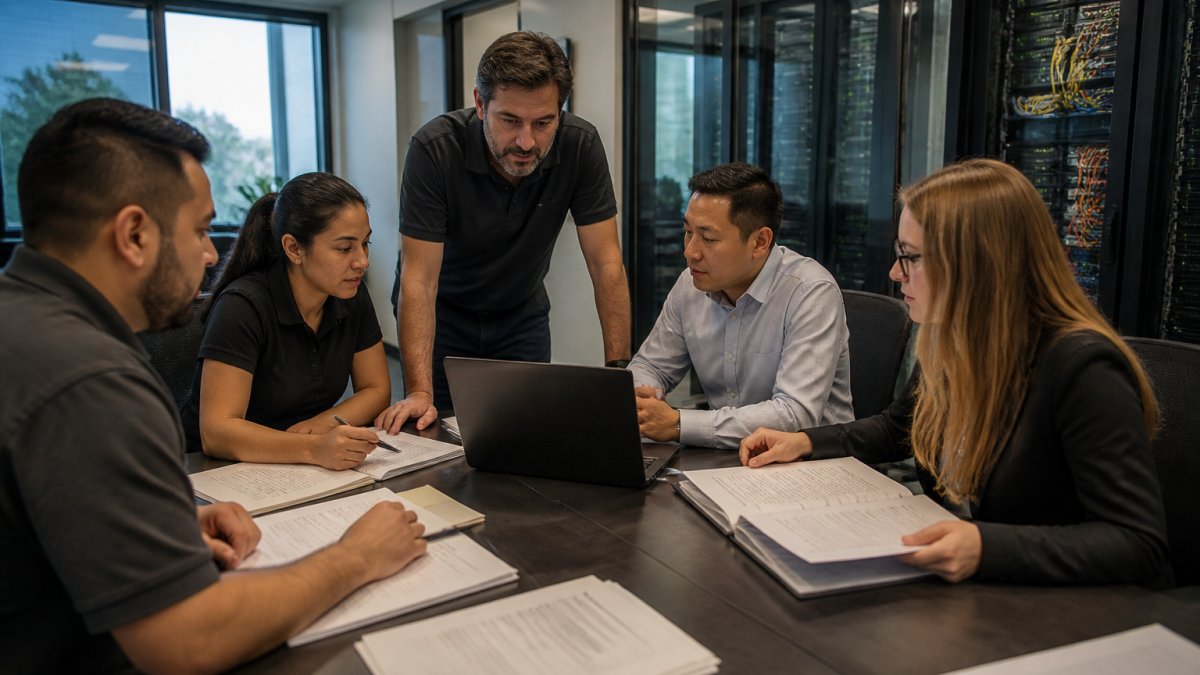
Testing is where continuity strategies earn their keep. Most plans fail on the first real exercise, and that is the point: an exercise that finds a gap is cheaper than an outage that finds it for you.
Build a test calendar around your recovery targets
Set the cadence from the RTO and RPO you assigned to each system, not from convenience. A practical pattern many managed providers follow:
- Tabletop sessions quarterly. Low cost, high learning. Walk the team through a scenario and talk it out, then log every decision that was unclear.
- Backup restoration tests on a fixed schedule. Restore a sample of critical systems into an isolated environment and time the restore against the RPO. Confirm the restored data is readable and complete, not just that the job reported success.
- Failover drills for critical systems. Actually move a workload to standby infrastructure and measure how long users were without service against the RTO.
Define pass/fail before you start
An exercise without a target is a rehearsal for nothing. Before each test, write down the RTO and RPO for the systems involved, the time the test starts, and the time service is confirmed restored. After the test, compare actual recovery time to the RTO. If the test takes longer than the target, the plan needs work, not the stopwatch.
Assign ownership for findings
Every gap found in an exercise gets an owner, a fix, and a due date. A common failure mode is a test report that lists problems nobody is accountable for.
Test the non-technical parts too
Technical recovery is only half the exercise. Test the phone tree when email is down, confirm the incident commander role can be filled by the backup, and send a draft customer holding statement to a reviewer. These steps are cheap to rehearse and expensive to improvise during a real event.
Add Los Angeles-specific scenarios
Generic test scenarios miss the hazards that actually threaten Los Angeles, California businesses. Rotate regional scenarios into the calendar:
- Earthquake: assume the office is inaccessible, staff are unreachable, and connectivity is down. Test whether recovery environments in another region can carry operations while local staff work remotely.
- Wildfire: test whether staff can work from alternate locations and whether air quality or evacuation orders affect the primary office.
- Extended power interruption: confirm UPS runtime, generator fuel arrangements, and cellular or satellite failover for connectivity.
Keep the plan current between exercises
Testing is maintenance, not a one-time event. Update the plan after every exercise, after every major infrastructure change, and on a recurring annual review. The plan owner signs off on changes, and the managed provider folds the results into the next quarterly review so the plan reflects the systems you actually run today.
Business Continuity Planning Best Practices for Los Angeles Enterprises
Los Angeles businesses plan for a different risk set than most of the country. Earthquake, wildfire, and extended power interruption belong in the risk assessment alongside cyber threats.
Business continuity planning best practices for this region start with geography:
- Split backups across regions so one event cannot take both copies.
- Assume connectivity loss. Plan for cellular or satellite failover.
- Account for staff unavailability. People may not reach the office.
If you are evaluating managed IT support in Los Angeles, ask any provider how they handle regional outages and where recovery environments sit. Get in touch to start or quote a continuity planning engagement.
Frequently Asked Questions
How do managed IT services support business continuity planning?
Managed IT providers handle the technical layers a continuity plan depends on: cloud data backups, proactive monitoring, cybersecurity controls, and documented recovery protocols. Managed services generally help minimize downtime by identifying and addressing issues before they escalate. That means your plan rests on infrastructure someone is actively watching 24/7, not on assumptions about systems nobody checked.
What is the difference between business continuity and disaster recovery?
Disaster recovery focuses on restoring IT systems and data after an outage. Business continuity covers the whole organization: how it responds to disruption, keeps core activities running, and recovers, as described in published reviews of business continuity management. A continuity plan without disaster recovery underneath it is just a document.
How often should a business continuity plan be tested?
Test at least annually, and again whenever infrastructure changes materially: a cloud migration, a new line of business, or a major vendor swap. Backup restoration testing should run more often, quarterly is a common cadence, because a backup nobody has restored is an unverified backup. Rotate exercise types across the year, combining tabletop walkthroughs for decision-making with live failover tests for the technical stack. Document every gap the exercise reveals and assign an owner and deadline for closing it.
What should businesses look for in a managed IT provider for continuity planning?
Ask for four things: a written recovery time objective and recovery point objective for your systems, evidence of backup restoration testing (not just backup logs), documented incident response and recovery protocols, and 24/7 coverage staffed by real people. Request references from organizations with similar complexity, especially if you run hybrid legacy and cloud infrastructure. Confirm whether the provider supports plan testing and exercises before you engage. Pricing depends on scope and system count, so get a quote based on your actual environment.
Los Angeles enterprises face outages that do not wait for a convenient moment. VegaNext builds the monitoring, cloud recovery, and security layers that keep operations running, backed by AI-native automation, enterprise-grade cybersecurity, and reliable infrastructure management. Get started with VegaNext and turn your continuity plan into a system you can actually test.