 how-to
Getting Started With AI Automation in El Segundo
Last Updated: November 5, 2026
Quick Summary
To get started with AI automation in El Segundo, map a high-volume, rule-based, low-risk task your team repeats at least weekly, then build one workflow with a trigger, an action, and an exception path. Run it in parallel with your manual process for one week before retiring the manual step.
- Pick a first task that runs weekly, follows the same steps, and is cheap to fail.
- Choose tools with native integrations, API access, human-in-the-loop approval, and audit logging.
- Test with at least 20 real examples, including scanned invoices and forwarded emails.
- Require SSO, least privilege, and human approval for payments and customer-facing messages.
- Measure baseline hours, error rate, and processing time before launch to calculate ROI.
Table of Contents
- What AI Automation Means for El Segundo Businesses
- Step 1: Map a Repetitive Task Worth Automating First
- Step 2: Choose AI Automation Tools That Fit Your Stack
- AI Automation Examples for Business That Prove the Model
- Step 3: Build Your First Workflow With Triggers and Actions
- AI Automation Implementation: Testing, Security, and Human Review
- AI Automation Best Practices for Reliable Production Workflows
- Plan Your First Automation Project With VegaNext
- Frequently Asked Questions
What AI Automation Means for El Segundo Businesses
AI automation is software that reads, decides, and acts on business data without a person clicking through each step.
Traditional automation follows fixed rules. AI automation adds judgment, so it handles messy inputs like emails, invoices, and support tickets, which is why so many teams stall after a pilot.
Below, we show how to pick a first project, choose tools, build the workflow, and measure the result, whether you run a small operations team or a large enterprise.
AI Automation vs. Traditional Automation and RPA
Traditional automation and robotic process automation (RPA) follow fixed rules. AI automation adds machine learning and large language models, so the workflow can handle variation.
Think of it this way:
- RPA clicks the same buttons in the same order every time.
- Traditional automation fires a fixed trigger and action pair.
- AI automation reads the invoice, spots the mismatch, and routes the exception to a human.
For a business with legacy systems, that difference decides which tasks are worth automating. NIST AI Risk Management Framework offers a useful frame for judging risk before you commit.
Step 1: Map a Repetitive Task Worth Automating First
The best first task is high-volume, rule-based, and low-risk. Pick a repetitive task your team does at least weekly, where the steps rarely change and a mistake is easy to catch.
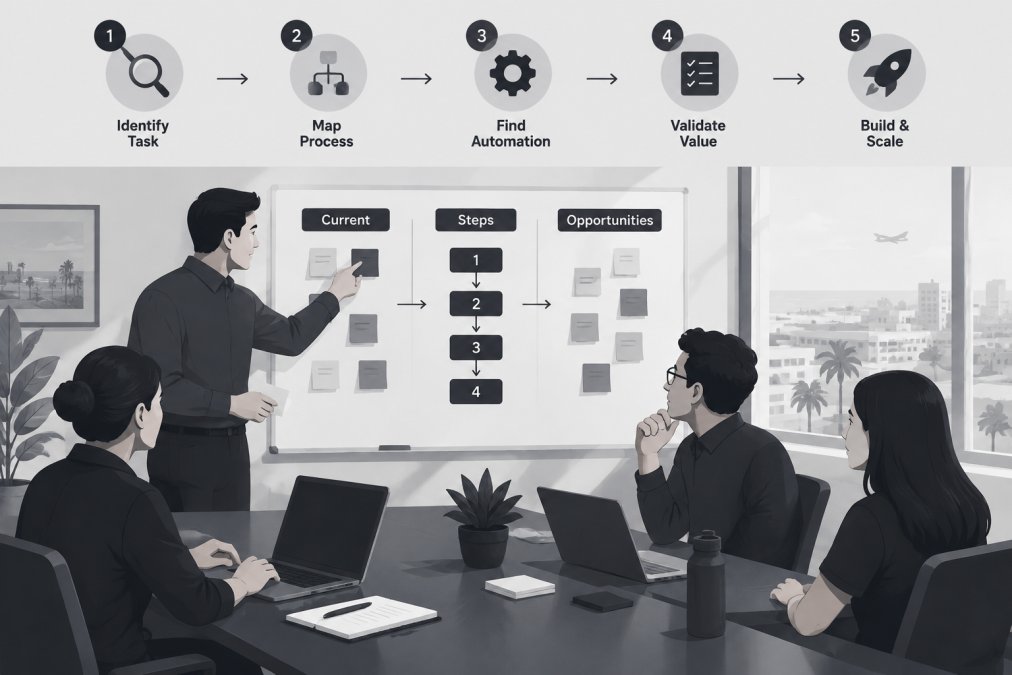
Start with workflow mapping: write down each step, who owns it, and where the data comes from. Automating an undocumented process just encodes the chaos.
Use this checklist to score candidates:
- Runs at least once a week
- Follows the same steps most of the time
- Pulls from one or two data sources
Step 2: Choose AI Automation Tools That Fit Your Stack
Choose tools that connect to the systems you already run, not the ones with the longest feature list.
When you evaluate AI automation tools, weigh these factors:
- Integrations: native connectors for your CRM, ERP, and email
- API access: a documented API for anything custom
- Human-in-the-loop: an approval step before actions go live
Watch out: a platform that cannot export your workflow logic locks you in. Test the exit before you sign.
If you are weighing vendors, our guide on how to choose an AI automation company covers the questions to ask before you commit.
AI Automation Examples for Business That Prove the Model
Real AI automation examples for business tend to be unglamorous: invoice matching, ticket triage, lead routing, and report building, workflows that quietly save hours every week.
A mid-size Los Angeles distributor retyped purchase orders into a legacy system. A simple workflow now reads the order email, extracts line items, checks them against inventory, and posts the clean record.
Other examples worth copying:
- Support tickets auto-tagged and routed by topic
- Inbound leads scored and assigned by fit
- Weekly reports assembled from three data sources
Each one is a business process with a clear trigger, a decision, and an action.
Step 3: Build Your First Workflow With Triggers and Actions
Every workflow has three parts: a trigger, an action, and an exception path. Build the trigger first, then the action, then decide what happens when the AI is unsure. Here is a complete first-project example you can copy for an El Segundo small business.
A complete first-project walkthrough: inbound invoice intake
Scenario: a small distributor receives vendor invoices by email, and a bookkeeper retypes them into a legacy accounting system.
1. Map the workflow before you touch a tool. Write down each step, who owns it, and where the data comes from.
**2.
**3.
4. Add the validation step. Compare extracted fields to your system of record.
**5.
6. Add the exception path. Low-confidence results, unknown vendors, and mismatched totals go to a human queue with the original PDF attached.
**7.
Connecting apps, APIs, and data sources
Connecting apps is where most builds slow down. Use native integrations where they exist and the API where they do not, typically an email provider, a cloud storage folder, an accounting or ERP system, and a chat tool for approvals. Document every data source, credential owner, and refresh cadence so the next person can debug it. If a vendor offers no API and no native connector, pick a different workflow for the first project.
A second, lighter example: support ticket triage
If invoice intake feels too close to financial data, start with ticket triage. Trigger on a new support email, have the model classify topic and urgency against a fixed list, then route to the right queue and draft a first reply for a human to send.
Keep the first version small. One trigger, one action, one approval step. Get it running end to end before you add branches, and only then expand scope to a second workflow.
Here is the invoice intake build broken into its steps, from mapping to parallel run.
| Step | What to do | Key detail |
|---|---|---|
| 1. Map the workflow | Document each step, owner, and data source | Avoid encoding undocumented chaos |
| 2. Build the trigger | Trigger on AP inbox PDF attachments | Filter to known vendor domains |
| 3. Add AI extraction | Send PDF to extraction model with strict schema | Require confidence score per field |
| 4. Add validation | Compare fields to system of record | Low confidence routes to exception queue |
| 5. Add action and approval | Create draft record, require human approval | Bookkeeper reviews instead of retypes |
| 6. Add exception path | Route low-confidence and mismatches to humans | Track exception rate weekly |
| 7. Run in parallel | Keep manual process for one week | Retire manual step after clean matches |
AI Automation Implementation: Testing, Security, and Human Review
Most guides stop at "test it and keep a human in the loop." That is correct but not decision-grade. Before you commit budget, you need a realistic cost picture, a security checklist, and a way to prove the workflow paid for itself.
Testing before production
Test with real data before trusting the workflow in production. Run it in parallel with your manual process for a week and compare outputs side by side. Build a test set of at least 20 real examples, including the ugly ones: a scanned invoice, a forwarded email with three attachments, a vendor with a slightly different name spelling. Track match rate, exception rate, and average processing time per record.
Security and privacy controls to require
AI automation touches your data, so treat every workflow like a new system. For an El Segundo business handling customer or vendor records, require these controls before go-live:
- Access control: single sign-on and role-based permissions so only the right staff can view or edit workflows.
- Data handling: know where the model provider stores and processes data, and whether inputs are used for training. Prefer vendors that let you opt out of training on your data.
- Vendor review: ask for a security summary, a data processing agreement, and a subprocessor list. NIST AI Risk Management Framework offers a useful frame for judging risk before you commit.
Watch out: skipping the approval step on customer-facing actions is how pilots turn into incidents. A single mis-sent email can cost more trust than the workflow saves in hours.
A realistic cost model
Pricing depends on vendor, volume, and scope. For current pricing or a quote, visit the VegaNext website. A first project typically has four cost lines:
- AI model usage: pay-per-token or per-document pricing. Document extraction and short classification tasks are usually the cheapest line item; long-context reasoning costs more.
- Implementation: internal staff time or a consultant. A simple first workflow is often a one-to-three-week effort.
- Maintenance: prompt tuning, exception review, and monitoring, a few hours a week per live workflow, more in the first month.
Total cost of ownership is the number that matters. Add platform, model usage, implementation, and staff review time, then compare that to the hours the workflow removes. If it saves meaningful hours each week and costs less than that in combined fees and review time, it is a candidate to expand.
Measuring results and calculating ROI
Define the baseline before launch: hours spent per week on the manual task, error rate, and average processing time per record. After launch, measure the same three numbers plus exception rate and cost per task. A simple ROI formula: (hours saved per week × loaded hourly cost) minus (platform cost + model cost + review time), then divide by implementation cost for a rough payback period.
When to use automation, AI, or a human
Not every task should be automated. Use fixed automation for stable, rule-based steps. Use AI automation when inputs vary but a human can still check the output. Keep a human in the loop when the action is irreversible, customer-facing, financial, or regulated. When a task needs a more reliable approval step before it can leave manual handling, custom AI development can help shape a narrow workflow around the checks that matter.
AI Automation Best Practices for Reliable Production Workflows
Reliable workflows share a few habits. They monitor every run, alert on failure, and keep a human in the loop for edge cases.
Reliable AI automation workflows generally follow four rules:
- Monitor everything: track success rate, run time, and exception count.
- Fail loudly: alert a person when a run breaks.
- Version your logic: keep a changelog for prompts and rules.
Scalability matters too. A workflow that handles ten records a day may choke at a thousand. Load-test before you expand scope.
People are the other half of reliability. Our guide on overcoming employee resistance to AI tools explains how to bring staff along.
Plan Your First Automation Project With VegaNext
The gap between a stalled pilot and a working production workflow is usually process, not technology. That is where we come in.
VegaNext is an AI-native managed service provider, bringing enterprise-grade cybersecurity, AI automation, and infrastructure management to organizations.
Here is how we would start with you:
- Map your highest-value repetitive task
- Build a tested workflow with human review built in
- Monitor it and tune it as volume grows
If you would rather see what agentic AI looks like in real IT operations first, read how agentic AI is quietly rewriting IT operations.
Ready to move past the pilot? Put your AI to work where the business runs and let VegaNext architect an AI strategy that delivers measurable ROI from day one.
Frequently Asked Questions
How hard is it to get into AI automation?
Less hard than most people expect if you start small. The first project should be one repetitive task with a clear trigger and a clear outcome, such as routing inbound emails or syncing order data between two systems. No-code and low-code platforms handle the wiring, and large language models handle the judgment calls. The real difficulty is not the technology but the discipline: mapping the workflow, testing edge cases, and keeping a human approval step on anything that touches money or protected data.
Which AI automation tools are best for beginners?
Beginners do best with a low-code platform that connects the apps you already use, plus a language model for drafting and classification. Look for three things: a visual workflow builder with triggers and actions, native integrations for your CRM and email, and logging that shows every run. Avoid tools that require custom code on day one. If your team has no in-house automation experience, a managed provider can set up the first workflow and hand over documentation so your staff can maintain it.
How can a business use AI automation without exposing sensitive data?
Keep sensitive data out of prompts unless the tool contractually protects it. Redact identifiers before sending records to a language model, use vendor tiers with no-training guarantees, and restrict workflow credentials to the minimum scope each task needs. Add a human-in-the-loop approval step for anything that leaves your systems. For regulated industries, log every automated action so you can audit it later. These controls belong in your AI automation implementation plan, not bolted on afterward.
How do I measure whether an AI automation project is working?
Pick two numbers before you launch: hours saved per week and error rate on the automated task. Track them for 30 days against a manual baseline. Add a reliability metric, such as successful runs divided by total runs, and watch it weekly. If a workflow saves six hours a week but fails one in five runs, it is not ready for production. Return on investment follows from those three numbers, so measure them before you scale to a second workflow.